With Belvo's Pix Agendado product, you can schedule your payments to occur in the future. You can schedule a single payment or a series of payments.
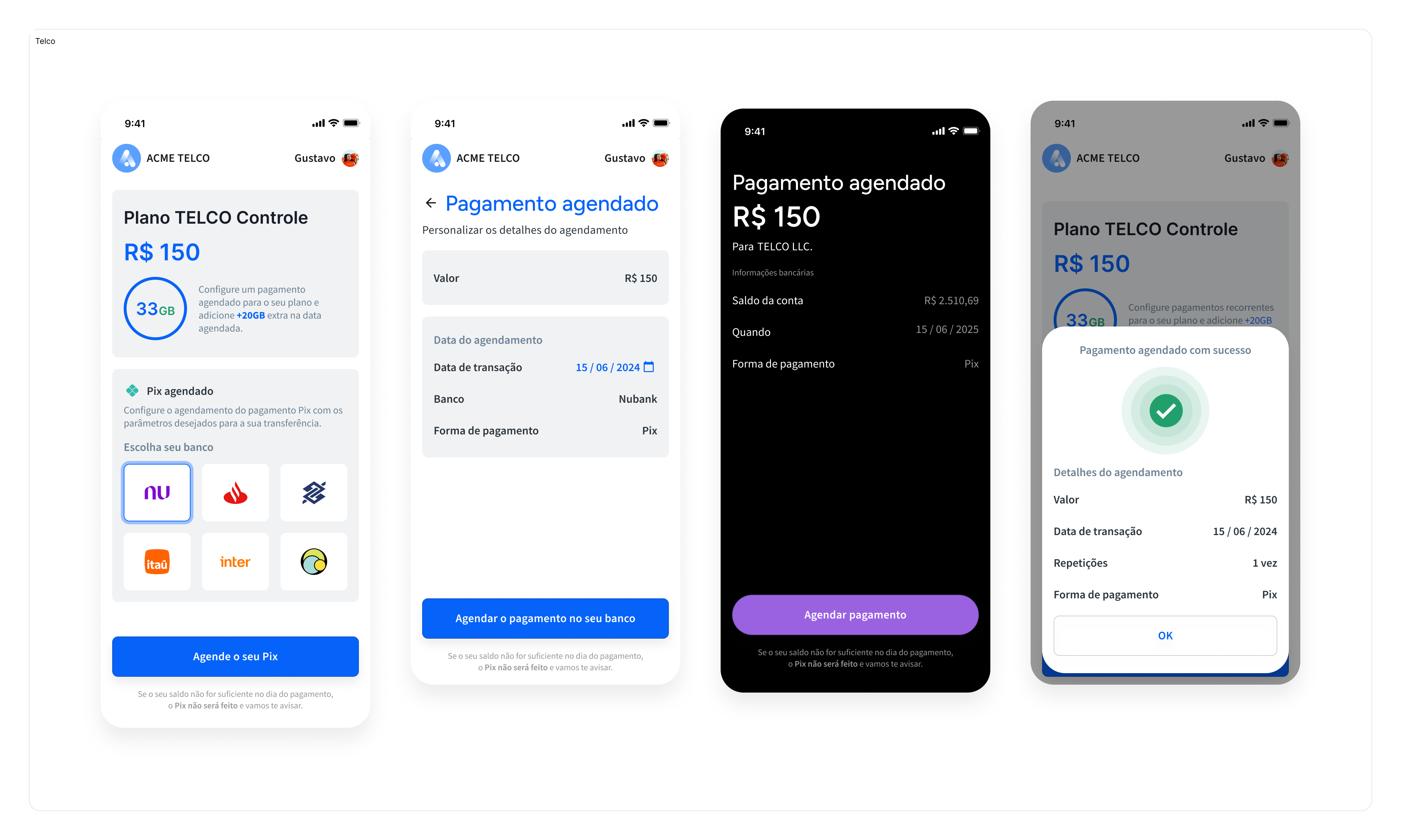
A single scheduled payment is an automatic transaction where a predetermined amount of money is withdrawn from a customer's account on a future date to pay for a service or product. This payment is a one-time payment via Pix.
A series of scheduled payments is a set of automatic transactions where a predetermined amount of money is withdrawn from a customer's account at regular intervals, such as weekly or monthly. Use a series for bills like utilities, subscriptions, memberships, loan repayments, or rent.
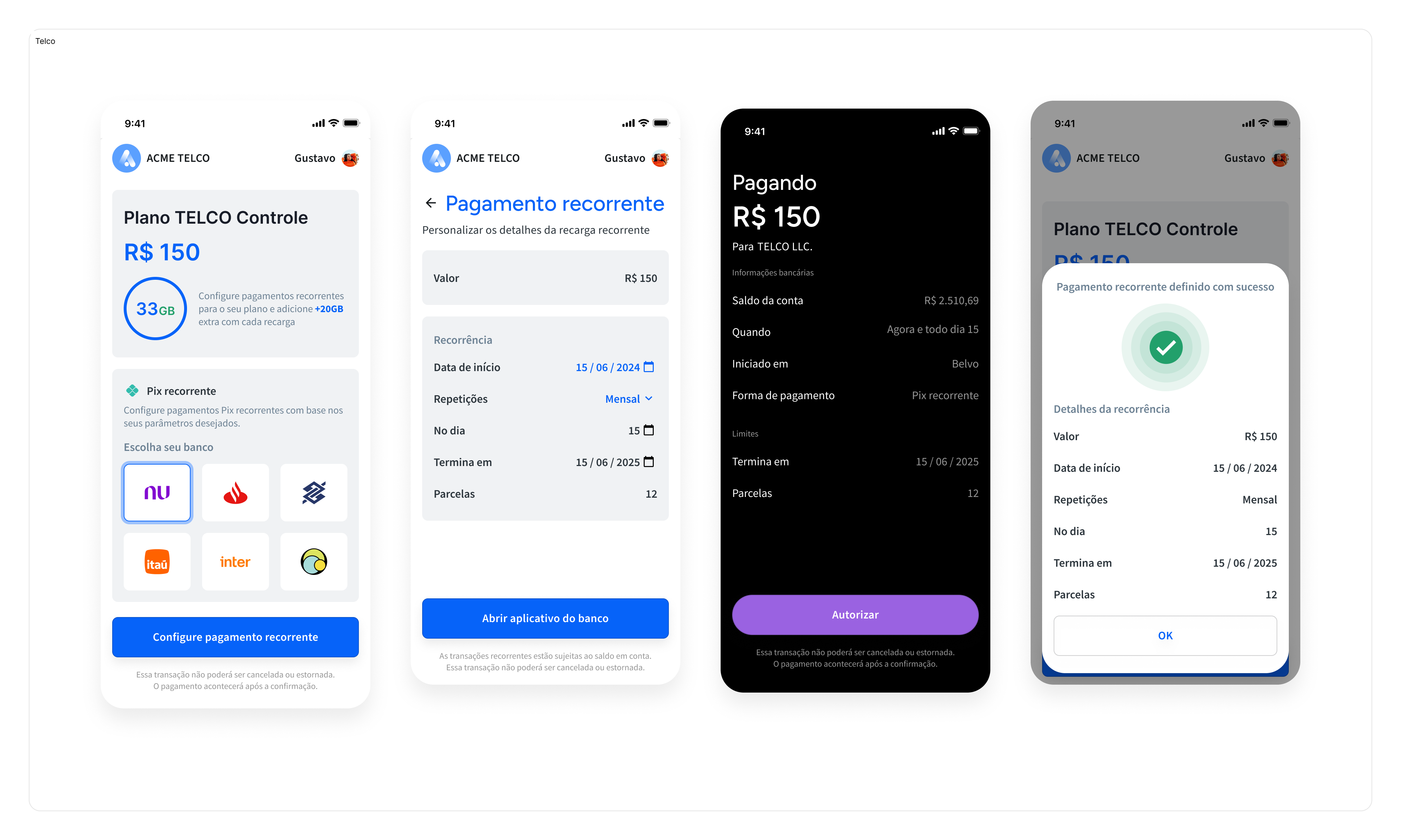
To make things easier, we've made sure that the integration steps for single payments and series of payments are the same 🤩.
For Pix Agendado, we offer one integration option:
Customize the user experience according to your brand needs and use our API to create and process payments.
We recommend this flow if your team has a dedicated set of engineers, product people, and designers to design and implement the payment flows and necessary screens, taking into account the regulatory requirements as this is a product regulated by the Brazilian Central Bank.
Check out our dedicated Direct API (Pix Agendado) guide for the step-by-step instructions.
Belvo currently supports the following scheduled payment types for our Pix Agendado product:
| Type | Description | Max Occurrences |
|---|---|---|
| Single | A one-time transaction for a specific future date. | 1 |
| Daily | Fixed-amount payments every day. | 60 consecutive days |
| Weekly | Fixed-amount payments on a specific day of the week. | 60 consecutive weeks |
| Monthly | Fixed-amount payments on a specific day of the month. | 24 consecutive months |
| Custom | Fixed-amount payments on specified dates. | 60 dates up to two years in the future |
According to Brazil's Open Finance Network regulations, financial institutions must process scheduled payments according to the table below.
| Attempt | Timeframe (GMT-3) | Notified if failed? |
|---|---|---|
| First | 00:00 - 08:00 | No |
| Second | 18:00 - 21:00 | Yes |
If the first attempt to extract funds results in a failure, the institution will try again to process the payment later the same day. You are only notified that the given payment has failed after all attempts result in a failure.
Financial institutions in the Open Finance Network must at least make one attempt to retry the payment in the 18:00-21:00 timeframe. However, the institution can make additional attempts in this period if they want to.
In the case that a singular Charge fails (the payment cannot be settled) from a set of scheduled Charges, it does not affect the remaining scheduled Charges.
For example, in the case that you have five scheduled weekly Charges, and the second Charge is unsuccessful, the remaining three remain scheduled:
| Charge Number | Date | Outcome |
|---|---|---|
| One | 2024-06-03 | Successful |
| Two | 2024-06-10 | Failed |
| Three | 2024-06-17 | Remains scheduled |
| Four | 2024-06-24 | Remains scheduled |
| Five | 2024-07-01 | Remains scheduled |
It is not possible to retry a failed Charge. We recommend you contact your user and then create a separate one-time Payment Intent to retrieve funds from the user.
Yes, either individual payments or all payments (the whole schedule) can be canceled. The merchant can cancel via Belvo and the end-user can cancel directly on the institution's app/internet banking. For more details, see:
- Cancel the whole schedule
- Cancel an individual payment
No. Once approved, the payments are not modifiable. If any changes need to be made, the merchant needs to cancel the individual payments and issue immediate single payments to replace them, or cancel the whole schedule and setup a new schedule. These new payments (individual or new schedule) will require a new authentication from the end-user as they generate new consents.